
Get ICDL-Windows Exam Practice Questions - Real and Updated
ICDL L4 Windows Exam Dumps
RETIRED
This Bundle Pack includes Following 3 Formats
Desktop Practice
Test software
Test software
Web Based
Practice Test
Practice Test
Questions &
Answers (PDF)
Answers (PDF)
ICDL-Windows Desktop Practice
Test Software
Last Updated : 07-08-2024
Total Questions : 50
Total Questions : 50
$59.00
ICDL-Windows Questions & Answers
(PDF)
Last Updated : 07-08-2024
Total Questions : 50
Total Questions : 50
$59.00
ICDL-Windows Web Based Self Assessment Practice Test
Last Updated : 07-08-2024
50 Total Questions
Supported Browsers

Supported Platforms

License Options
$59.00
Following are some ICDL-Windows Exam Questions for Review


Use the simulated Desktop to find out which type of Processor is installed on this computer.
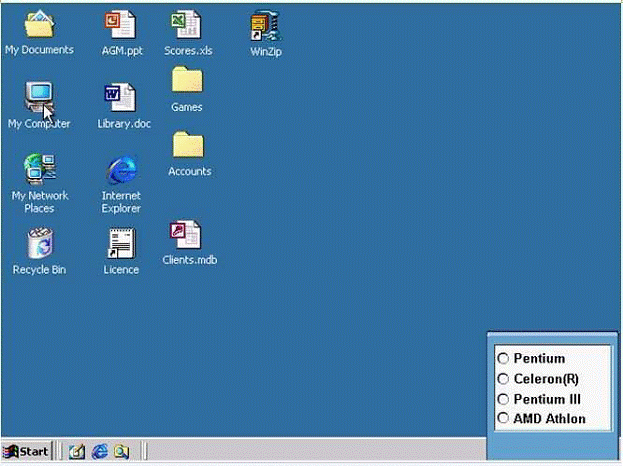
Select the appropriate radio button then click on SUBMIT.
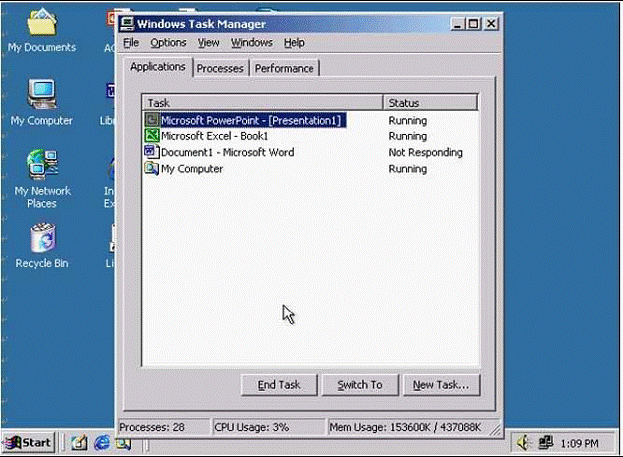
Shut down the non-responding application.
Find all files on the C: drive that were created during the previous 2 months.
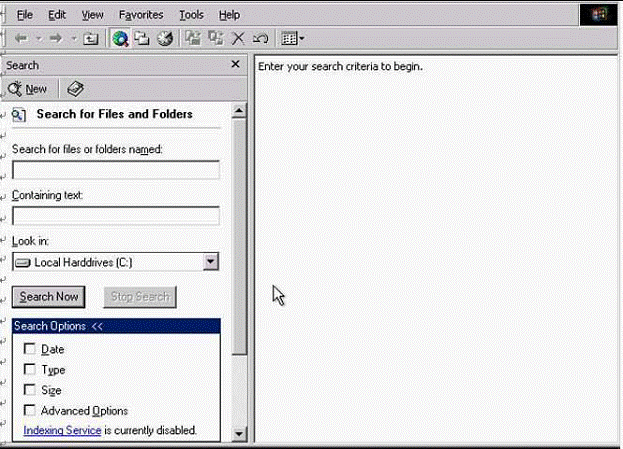
Click the Search Now button to submit your answer.
If the computer application you are working on has "frozen" what is the first thing you should do?
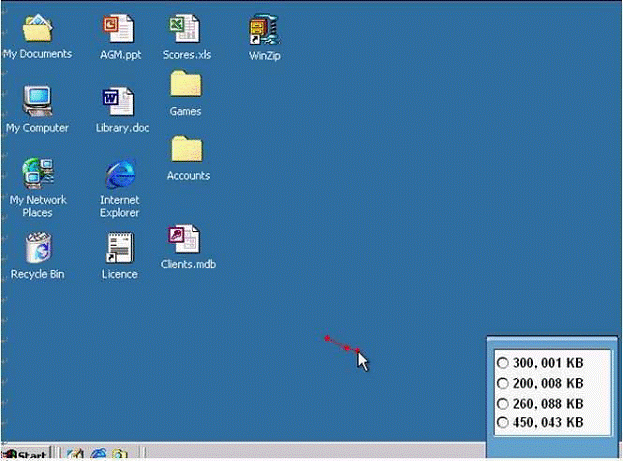
Use tshe simulated Windows Desktop to find out how much RAM is installed. Select the appropriate radio button then click on SUBMIT.
Unlock All Features of ICDL-Windows Dumps Software
Just have a look at the best and updated features of our ICDL-Windows dumps which are described in detail in the following tabs. We are very confident that you will get the best deal on this platform.

Select Question
Types you want
Types you want

Set your desired
pass percentage
pass percentage

Allocate Time
(Hours: Minutes)
(Hours: Minutes)

Create Multiple
Practice test with
limited questions
Practice test with
limited questions

Customer
Support
Support
Latest Success Metrics For actual ICDL-Windows Exam
This is the best time to verify your skills and accelerate your career. Check out last week's results, more than 90% of students passed their exam with good scores. You may be the Next successful Candidate.
95%
Average Passing Scores in final Exam
91%
Exactly Same Questions from these dumps
90%
Customers Passed ICDL-Windows exam


